
B2B Video Intercom
Video Intercom Supplier: 4-Wire, SIP, Wi-Fi & PoE Systems
Define the building entry first: villa, apartment, shared entrance or retrofit. Compare door stations and indoor monitors by wiring, device count, remote access and integration requirements, then validate the selected model before quotation.
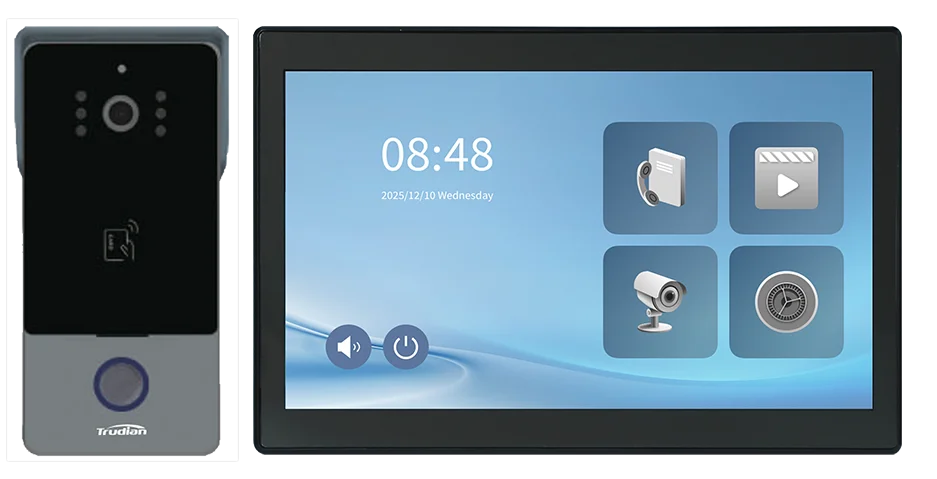
Model selection
Choose the deployment role; use the technical record to check the model.
Use the entrance and connection path to narrow the list. Review villa video intercom, apartment and MDU intercom, retrofit intercom projects or new-build access control projects, then check the selected model's wiring, interfaces and documentation before quotation.
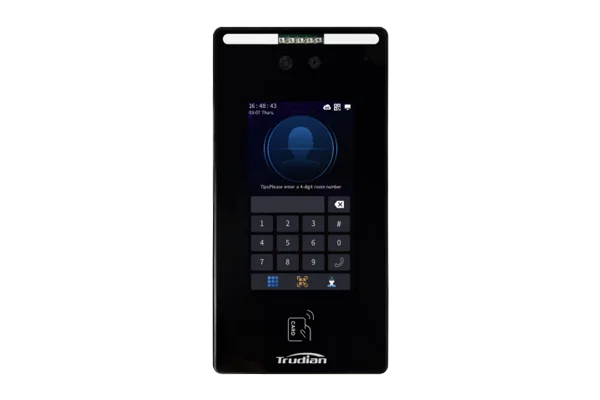
SHARED ENTRANCE
TD-D801 SIP Call Panel
SIP entrance panel for MDU and commercial entry with 2MP video, RFID, face recognition and IP65 protection. Review SIP topology, credentials and lock release.
CE routeFCC routeRoHS routeQMS scope
Open technical record
Camera2MP (resolution format and viewing angle pending confirmation)
ProtocolTCP/IP · SIP 2.0 (codecs and ONVIF pending confirmation)
CredentialsCard · face · password · QR code
HousingAluminium alloy + tempered glass
EnvironmentIP65 · −40°C to +70°C
PowerDC 12V (PoE pending confirmation)
ScalePending confirmation
DocumentsModel-specific compliance pack by market
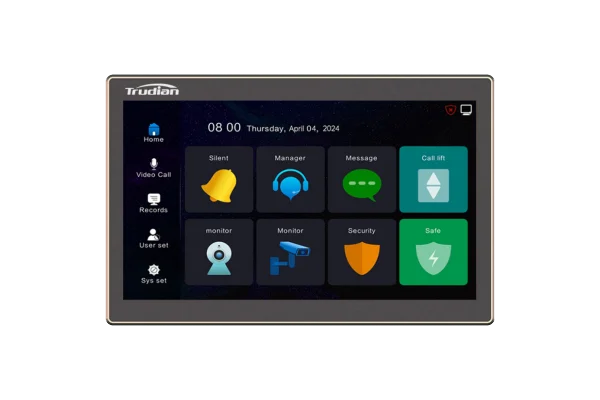
INDOOR UNIT
TD-R50 IP Indoor Monitor 10.1"
10.1-inch IP monitor with 1024×600 touch display, TCP/IP and up to 8 sensor inputs. Review the management-center route, sensor plan and elevator extension.
10.1" HDEmbedded Linux12VWall Mount
Open technical record
Display10.1" capacitive touch · 1024 × 600
CommunicationTCP/IP
Sensor connectionUp to 8 connectable sensors
Basic functionsVideo call · management center · remote unlock · security alarm
ExtensionsSmart home · elevator control
PlatformTrudian Community Management Center Platform
Power12V · 170mA standby / 330mA working
Environment-10°C to +55°C · 10%-90% RH
PRIVATE ENTRY / RETROFIT
TD-D4R85M 2-Wire IP Video Intercom Kit
2-wire IP kit with a 10.1-inch monitor, 2MP outdoor station, WiFi, Tuya and RFID. Review wiring, device count and the lock interface.
2-wireRFIDTuyaIP65
Open technical record
Indoor monitor10.1" IPS · 1024 × 600
Outdoor camera2MP / 1080P · 110° · IR-CUT
Connection2-wire, no polarity · 2.4 GHz WiFi
Night vision6 × 850 nm IR LEDs
Credentials13.56 MHz RFID · up to 1,000 cards
EnvironmentIP65 outdoor panel · -20°C to +70°C
PowerDC 12-24V · DC 18V 2A adapter
AppTuya · two-way audio · visitor record
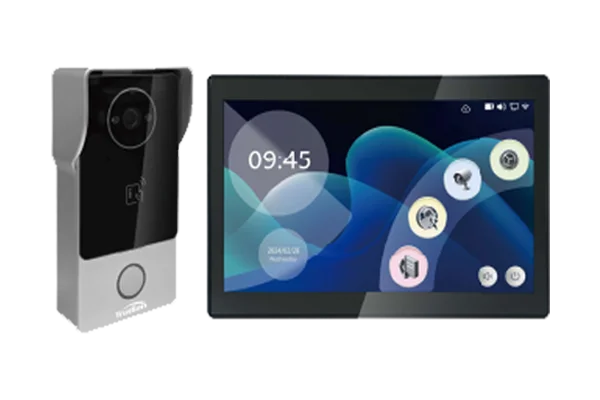
PRIVATE ENTRY / RETROFIT
TD-D4BR85M 2-Wire IP Video Intercom Kit
2-wire IP kit with a 10.1-inch monitor, 2MP outdoor station, RFID and Tuya. Review the supplied monitor, outdoor station, cable route and lock interface.
2-wireRFIDTuyaIP65
Open technical record
Indoor monitor10.1" IPS · 1024 × 600
Outdoor camera2MP / 1080P · 110° · IR-CUT
Connection2-wire, no polarity · 2.4 GHz WiFi
Night vision6 × 850 nm IR LEDs
Credentials13.56 MHz RFID · up to 1,000 cards
EnvironmentIP65 outdoor panel · -20°C to +70°C
PowerDC 12-24V · DC 18V 2A adapter
App and integrationTuya · two-way audio · visitor record
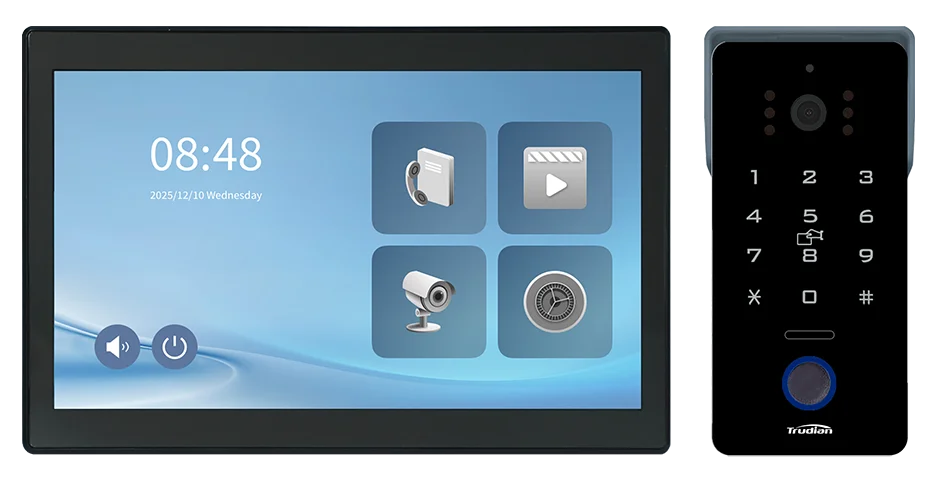
KEYPAD ENTRY / RETROFIT
TD-D80AR85M 2-Wire IP Video Intercom Kit
2-wire IP kit with a 10.1-inch monitor, 2MP outdoor station, RFID and PIN. Review the credential policy and retrofit wiring before selection.
2MPRFIDKeypadTuya
Open technical record
Indoor monitor10.1" IPS · 1024 × 600
Outdoor camera2MP / 1080P · 110° · IR-CUT
Connection2-wire, no polarity · 2.4 GHz WiFi
Credentials13.56 MHz RFID · password keypad
Lock capacityUp to 1,000 cards · magnetic/electric lock
EnvironmentIP65 outdoor panel · -20°C to +70°C
PowerDC 12-24V · DC 18V 2A adapter
AppTuya · two-way audio · visitor record
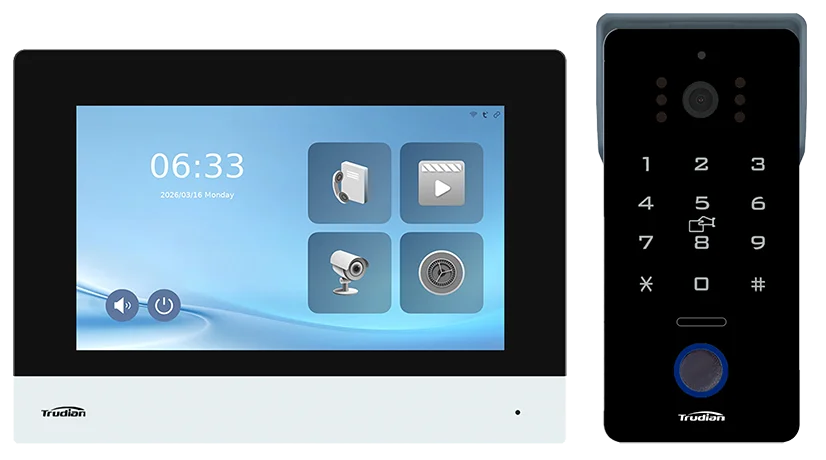
COMPACT KEYPAD / RETROFIT
TD-D80AR34W 2-Wire IP Video Intercom Kit
Compact 2-wire IP kit with a 7-inch monitor, 2MP outdoor station, RFID and PIN. Review the 2-wire route and retrofit fit.
2MPRFIDKeypadTuya
Open technical record
Indoor monitor7" IPS · 1024 × 600 · 200 × 140 × 20 mm
Outdoor camera2MP / 1080P · 110° · IR-CUT
Connection2-wire, no polarity · 2.4 GHz WiFi
Credentials13.56 MHz RFID · password keypad
Lock capacityUp to 1,000 cards · magnetic/electric lock
EnvironmentIP65 outdoor panel · -20°C to +70°C
PowerDC 12-24V · DC 18V 2A adapter
AppTuya · two-way audio · visitor record
Technical review
Check interfaces and documents before quotation.
Assess each requirement against the named product, version and destination. A system label does not establish a connection. Account for wiring, commissioning and support as well as purchase price.
SIP / VoIP
Check call routing, PBX connection and the required SIP implementation for the proposed product. See the SIP technical page for the review scope.
ONVIF / VMS
Check video-stream and VMS / NVR requirements against the selected hardware. The ONVIF connection guide lists the evidence to request.
Access interface
Confirm lock-release wiring, credentials and the access-control handoff at the entrance.
Market documents and cost drivers
Check documents against the destination, radio version and final supply scope. Review wiring, power, network topology, commissioning effort and support ownership. Review installed cost factors.
Selection matrix
Compare deployment fit before opening the full specification.
Use the entrance type and connection path to reduce the shortlist, then validate the selected model in its technical record.
| SELECTION CRITERIA | TD-D801 SIP CALL PANEL | TD-R50 MONITOR | TD-D4R85M | TD-D4BR85M | TD-D80AR85M | TD-D80AR34W |
|---|---|---|---|---|---|---|
| Primary deployment | Shared entrance | Indoor unit | Residential entry / retrofit | Residential entry / retrofit | Keypad entry / retrofit | Compact keypad entry / retrofit |
| Connection path | SIP / PoE or DC | TCP/IP | 2-wire, no polarity | 2-wire, no polarity | 2-wire, no polarity | 2-wire, no polarity |
| Key decision | Credentials + lock release | Sensor plan + building extension | Wiring and device count | Wiring and device count | RFID + password policy | Compact monitor + credential policy |
| Intended deployment | MDU / commercial | Apartment units | Houses / villas / retrofit | Houses / villas / retrofit | Private entry / retrofit | Private entry / retrofit |
| Documentation review | By model & market | By model & market | By model & market | By model & market | By model & market | By model & market |
Connection review
Put connection requirements in the project brief.
List the connection path, connected equipment and connection point. Check the route against the proposed product and version.
SIP / VoIP
Assess call routing, PBX connection and the communications topology.
VMS / CCTV
Assess NVR or VMS requirements against the proposed product and video connection.
Access control
Define lock release, credential and controller-interface requirements at the door.
Building systems
Record property-management, lift-control or building-system requirements in the project brief.
Mobile access
Check remote-answering and unlock requirements against the selected version.
Technical documents
Request connection, product and destination documents before purchase.
Project questions
Resolve these points before approving supply.
Use these answers to prepare the brief. The selected model and site facts set the final scope.
How should I choose between SIP, indoor-monitor and Wi-Fi doorbell models?
Start with the entrance type and available network. Shared entrances normally require a call panel and defined call path; a private retrofit can use a Wi-Fi kit. Confirm users, credentials, lock hardware and existing site conditions before selecting the route.
Can a video intercom work without Internet access?
Local calling and door release may continue when the selected devices remain powered and registered on the same local network. Remote app answering, push notifications and cloud services require Internet access. Confirm the model, topology, lock controller and failure behaviour before quotation. Review the offline-operation guidance →
How many apartments can one multi-tenant intercom support?
Capacity must be stated for the exact door station, indoor station, extender, platform and firmware. Confirm apartment count, concurrent calls, directory size, network and power limits; do not use a headline unit number as a project capacity calculation. Review the sizing guidance →
Can a video intercom work with an existing electric lock?
Compatibility depends on the lock type, power supply, relay or controller interface and the required fail-safe behaviour. Confirm NO/NC wiring, voltage, door sensor, exit button and fire-release requirements against the selected model before ordering. Review the access-interface guidance →
Can a door station control two locks?
A second lock is possible only when the selected door station or controller provides the required output and the wiring, power and permissions are defined. Confirm whether the two locks are independent, how each is labelled, and how local, mobile and emergency release behave. Request a two-lock wiring review →
Can an indoor monitor and mobile app both unlock the door?
Both endpoints can unlock only when the selected indoor monitor, mobile service and lock path support that workflow. Confirm account binding, permissions, simultaneous ringing, audit logs and what remains available during an Internet or cloud outage. Review the mobile and indoor-monitor workflow →
Does SIP or ONVIF guarantee compatibility with any PBX, NVR or VMS?
No. SIP registration and ONVIF video discovery do not guarantee the same features on every PBX, NVR or VMS. Verify the exact model, firmware, codecs, events, audio direction and door-release path, then run a test with the named platform. Review the SIP/ONVIF checklist →
What should I check when the intercom has no video, no audio or no door release?
Check power, network or bus wiring, device registration, room numbers, stream and audio settings, lock power, NO/NC selection, door sensor and permissions in that order. Separate communication faults from lock-control faults, record the model and firmware, and escalate with logs when the basic checks do not restore service. Open the troubleshooting checklist →
How are documents reviewed for a destination market?
Documents are checked for the product and version. Requirements can differ by destination, radio version and supply scope, so provide the proposed product and destination before quotation.
What is needed for a quotation review?
Provide the property type, number of entrances, entry hardware, target market, preferred connection path, required delivery date and any branding or documentation request.
Can the supplied hardware carry our brand?
Branding and packaging depend on the model and order volume. Review their documentation impact together with model selection.
What does the technical review cover?
The review can cover configuration guidance, interface requirements, model documents and a quotation-ready supply scope. Specify acceptance checks and post-purchase support in the project quotation.
Need help selecting a product?
Send the entrance type, number of doors, destination and delivery date. This is enough to prepare a provisional shortlist and quotation scope.
- Entry conditionDoors, lock type & entry path
- Target marketDestination documentation
- Delivery windowRequired delivery date
Project scope
Treat the visitor call and the door action as one reviewed path.
A video-intercom access-control connection review starts with the entrance panel, receiving endpoint, door hardware and authority to release. Confirm the call route, live-view requirement, relay or command interface, returned state and exception handling before a model set is quoted.