J-BSS
Tuya smart access

Tuya Smart Access Range for Distributors, Dealers and OEM Programs.

Build a Tuya entry package for single homes and villas: video intercom, local control, smart locks and Smart Lock Display hardware.

For distributors, dealers and OEM programs. Define the entrance connection, product bundle and user workflow before requesting a channel quotation.

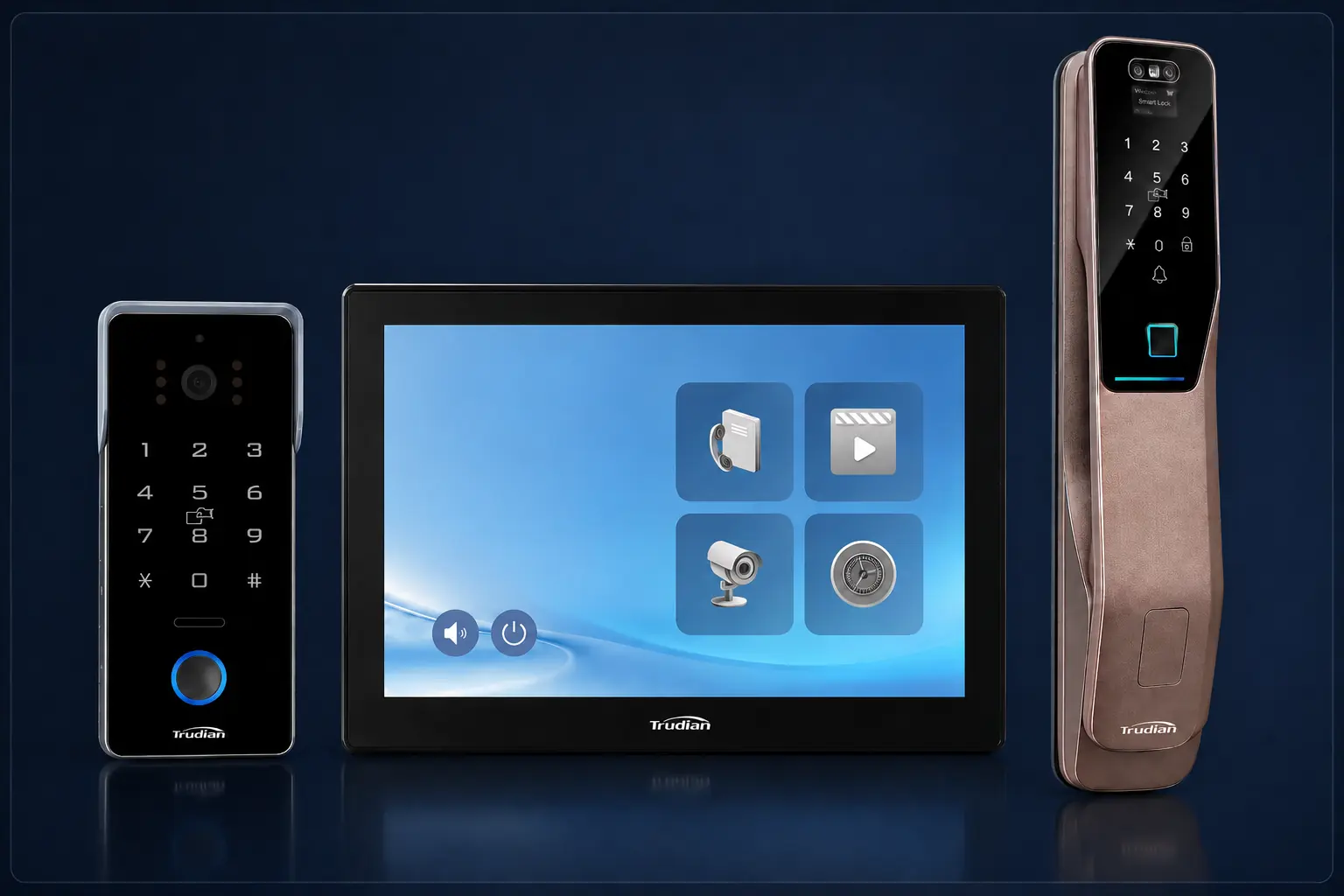
Trudian video intercom, indoor monitor and smart lock product family
Product paths

Build the product bundle from the entrance connection.

Choose Wi-Fi or PoE from the entrance cable and power route. Then set the indoor control, smart lock and Smart Lock Display hardware needed for the dealer package.

Wi-Fi entrance
01

Tuya Wi-Fi Video Intercom

Quote this path where the outdoor station can use Wi-Fi at the entrance. Confirm site signal coverage before selecting the dealer bundle.

Door stationWi-Fi connection
Phone controlTuya app
  • Confirm signal coverage at the entrance.
  • Define the indoor-monitor requirement.
  • Map resident and visitor app users.
View Wi-Fi intercom
PoE entrance
02

Tuya PoE Video Intercom

Quote this path where the outdoor station has a planned PoE cable route. Phone users still access Tuya through Wi-Fi or cellular data.

Door stationPoE power + network
Phone controlWi-Fi or cellular
  • Confirm the cable route to the entrance.
  • Confirm the available PoE allocation.
  • Define the indoor and app-user workflow.
View PoE intercom
In-home control
03

Tuya Zigbee Smart Control Panel

Add this local control point when the selected dealer package includes compatible Tuya Zigbee devices and an in-home interface.

Primary roleLocal control
Device pathTuya Zigbee
  • List the devices to be controlled locally.
  • Confirm the panel location and power point.
  • Review the required Zigbee device mix.
View TD-F10 panel
Door access
04

Tuya Smart Locks

Every smart-lock model supports Tuya. Select the lock after confirming the door condition, access credentials and required fallback method.

App ecosystemTuya supported
Selection basisDoor + credentials
  • Confirm door material and preparation.
  • Define resident, staff and guest credentials.
  • Set the required fallback access method.
View smart locks
Display hardware
05

Smart Lock Display

Include Smart Lock Display where the selected lock configuration requires a room-side visual interface and the dealer package calls for it.

Primary roleRoom-side display
Selection basisLock configuration
  • Confirm the selected lock and display pairing.
  • Define the intended room-side placement.
  • Review the required call, view and unlock actions.
View Smart Lock Display
Ready for selection

What to send for a channel quotation.

Provide the entrance connection, product bundle and app-user workflow so the first review can return a usable commercial scope.

Request a channel quotation review
01

Entrance and connection

Property type, entry points and Wi-Fi or PoE at the door station.

02

Product mix

Outdoor station, indoor control, smart lock and display hardware required.

03

App workflow

Users who need phone access, plus the required call, video and access actions.

Single-home project FAQ

Resolve the bundle before requesting a quotation.

Use these answers to set the entrance connection, control path and fallback expectations for a Tuya smart-access package.

How should buyers source video intercoms for villas and residential projects?

Start with the entrance location, gate or door hardware, cable availability, indoor answering preference, mobile access requirement and weather exposure. A villa kit and a shared-building system solve different call flows, so compare the complete entrance-to-answering path. Confirm mounting, power, Wi-Fi or wired connectivity and the intended fallback before selecting a wholesale model. Review the villa sourcing guidance →

Should a project use a wired or wireless video intercom?

Choose from the site conditions rather than convenience alone. Wired systems normally suit shared entrances and predictable infrastructure; wireless or Wi-Fi kits can suit smaller private entrances where coverage and power are controlled. Review call reliability, local operation, interference, bandwidth, power backup, installation access and long-term maintenance before approving the connection method. Compare wired and wireless routes →

Can an indoor monitor and mobile app both unlock the door?

Both interfaces can be included in a custom design, provided the selected devices and control architecture support separate authorization rules. The project should specify which roles may unlock from each interface, whether confirmation is required, how events are attributed, what works offline and what happens when an indoor monitor, app, controller or cloud service is unavailable. Review the indoor-monitor workflow →

Can local unlocking work without the cloud?

It can if the approved design places authorization and control on site and the selected intercom, controller and lock support the required local workflow. Offline operation is not automatic: the project must define which users may unlock, what happens to event records, how credentials are updated and how the system recovers when network or cloud service returns. Review the local-unlocking guidance →

Is TD-F10 suitable for distributors, dealers and installers?

TD-F10 can be included in a residential smart-home panel range for distributors, dealers and installers. Suitability depends on the target market, buyer segment, compatible device portfolio and expected order range. Confirm the device list, installation conditions, support scope and commercial terms before treating the panel as a standard channel item. Review the TD-F10 channel guidance →

What should buyers request from a video intercom supplier before quotation?

Send the supplier a short project brief covering property type, entrance count, user count, existing cabling, lock hardware, required indoor stations or mobile answering, target country, delivery window and integration requirements. Ask the response to name the proposed model, included accessories, excluded work, documentation scope and commercial assumptions so competing quotations can be compared on the same basis. Use the quotation brief checklist →