Live monitoring
Use the display or its Monitor/Answer key to open the paired lock’s live camera feed.

TD-M45 is a 4.5-inch IPS display for selected TD smart locks. It supports local live view, visual two-way intercom and remote unlock during an active session.
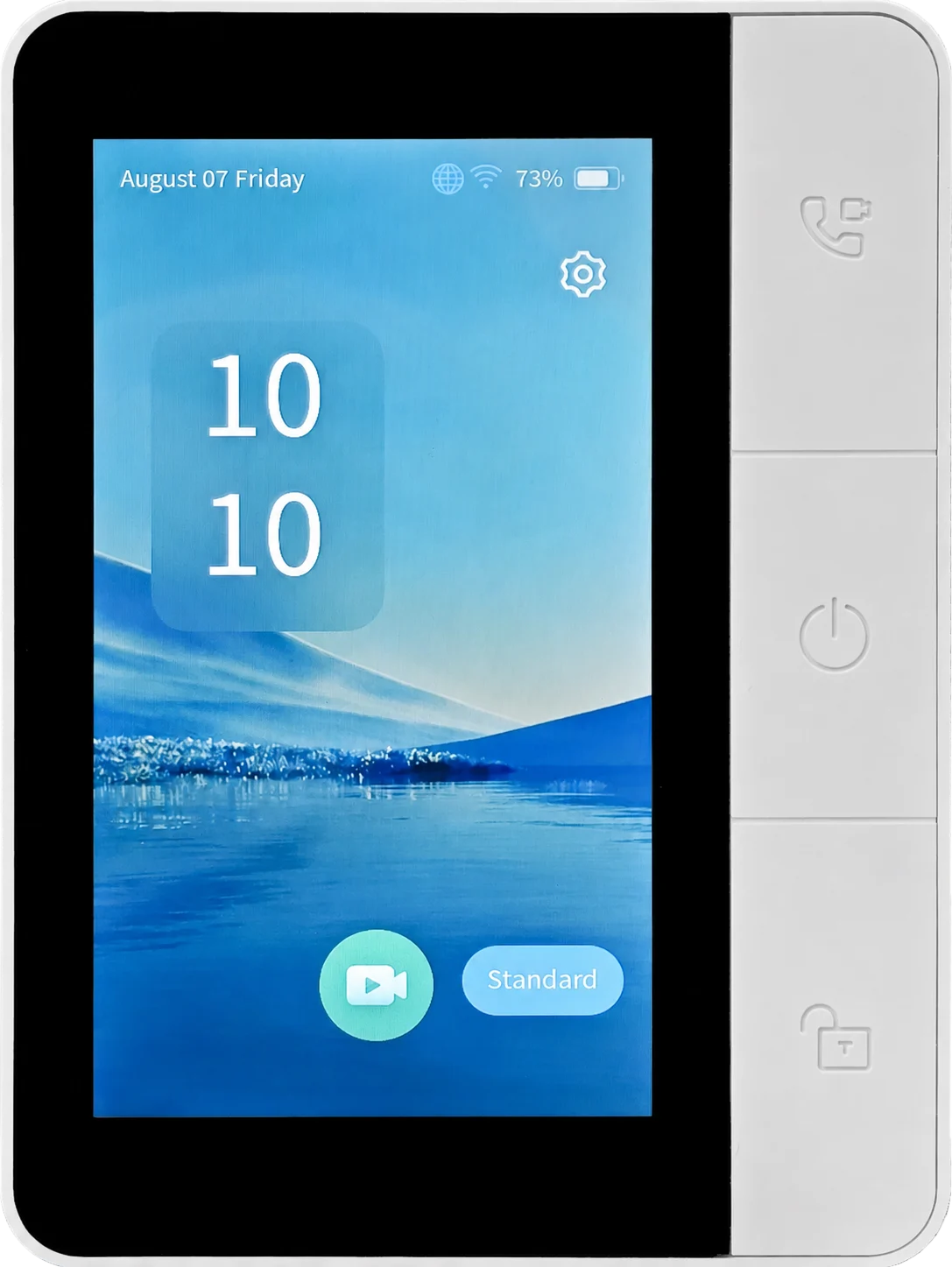
Quote TD-M45 only with a confirmed compatible TD lock. It is a room-side accessory, not an independent access-control terminal.
Pair TD-M45 with one compatible TD smart lock on the same local network. It is not a universal smart-lock display, standalone door controller or smart-home gateway.
Use the display or its Monitor/Answer key to open the paired lock’s live camera feed.
When the paired lock receives a visitor call, TD-M45 presents the live feed and supports a manually enabled two-way conversation.
The Unlock key is available only during an active live-view or intercom session; it is disabled outside those states.
The display specification is only one part of the configuration. Confirm the lock model, pairing method and local network conditions before a set is supplied.
Complete the lock and app setup first, then wake the lock display before starting the TD-M45 pairing procedure.
BLE 5.4 is used for pairing and provisioning. TD-M45 is intended for one-to-one pairing with a compatible lock.
Wi-Fi 6 on 2.4 GHz carries data transmission. Monitoring, calls and remote unlock operate within the defined active session.
Use one TD-M45 with one compatible lock on the same local network. Pairing multiple displays to one lock can cause abnormal doorbell calls. The TF slot is for firmware updates only and does not provide local video storage.
Only values confirmed in the supplied documentation are listed here. Battery runtime, charge-to-full time and certification scope are not published.
| Display | 4.5-inch IPS |
| Resolution | 480 × 854 px |
| Wi-Fi | Wi-Fi 6 (IEEE 802.11ax), 2.4 GHz single-band |
| Bluetooth | BLE 5.4 |
| Display languages | Multi-language support |
| Operating voltage | DC 5 V |
| Operating current | 280–320 mA |
| Standby current | 200–300 μA |
| Built-in battery | 2,000 mAh |
| Charging current | 1 A |
| Operating temperature | −25°C to +70°C |
| Speaker | 8 Ω / 1 W |
| Microphone | Single analog microphone |
| Charging interface | Type-C USB |
| TF card slot | Firmware update only; no local storage |
| Controls | Monitor, power/hang-up and unlock keys |
| Dimensions | 127 × 93 × 18 mm |
| Net weight | 200 g |
| Housing | White ABS plastic with acrylic front panel |
| Installation | Desktop stand placement or wall mounting |
| Compatible locks | TD-H1-B, TD-F39HR, TD-W2-B |
Review the active display first, then the wall-mount rear housing, desktop stand position and side service interfaces.
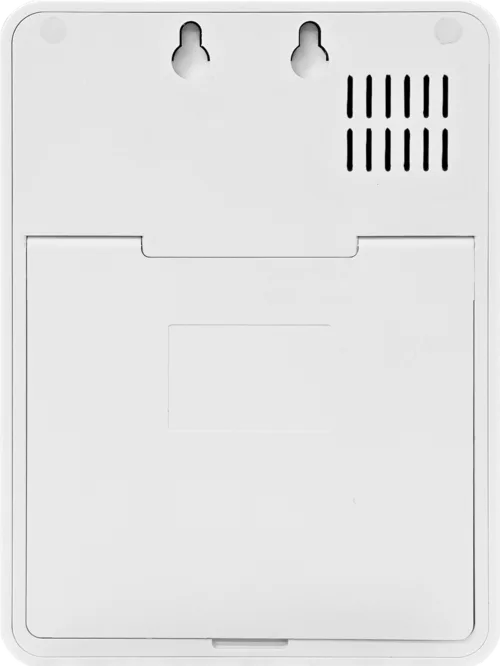
Use the rear view to review the wall-mount points and enclosure layout before confirming the installation condition.
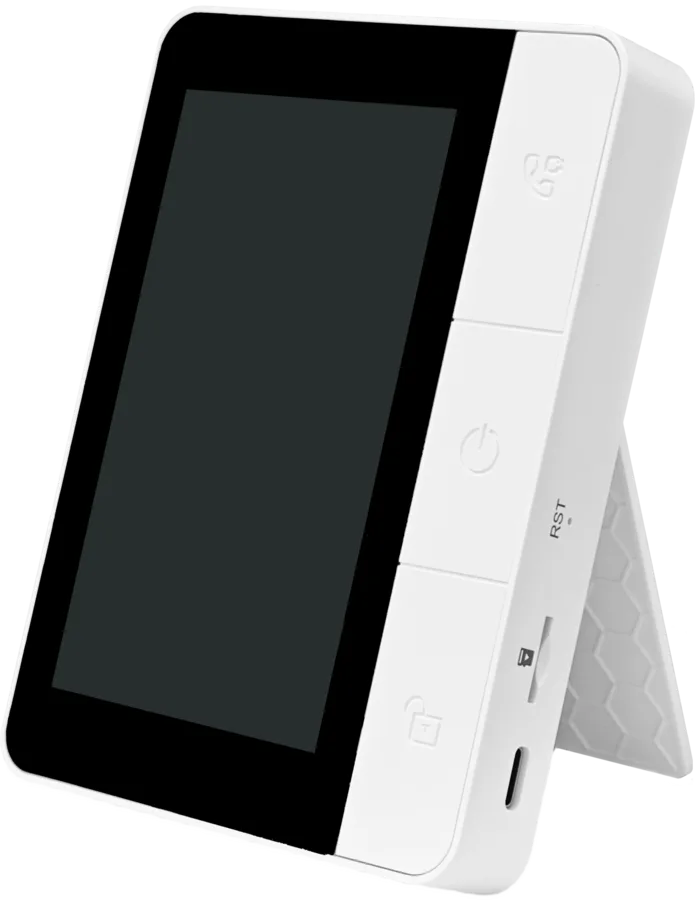
The integrated stand supports desktop placement where a dedicated room-side display is required.
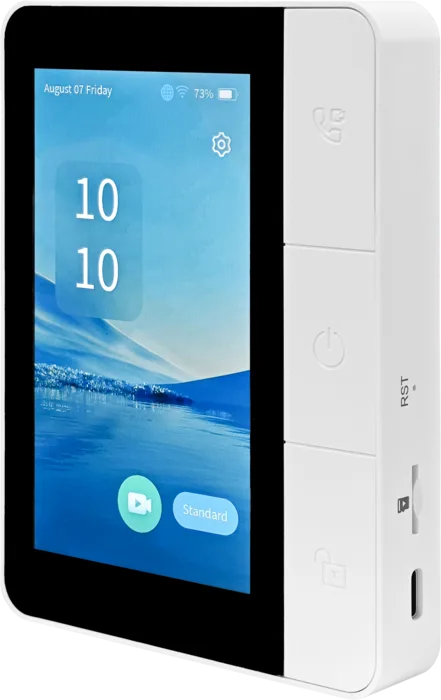
Monitor, power/hang-up and unlock keys sit alongside the Type-C charging port and firmware-update TF card slot.
These answers define the confirmed product scope for distributors, integrators and project buyers.
No. TD-M45 is an accessory that must be paired with a compatible TD smart lock. It is not a standalone access-control terminal or universal indoor monitor.
The supplied product manual lists TD-H1-B, TD-F39HR and TD-W2-B. Confirm the final lock model and firmware before quotation.
No. The TF card slot is reserved for firmware updates. Local video storage is not supported.
TD-M45 uses Wi-Fi 6 on the 2.4 GHz band for data transmission and BLE 5.4 for pairing and provisioning.
Remote unlock is available only during an active live-monitoring or intercom session. The display will not unlock the door when it is outside an active call or live-view screen.
No. The supplied manual defines one-to-one pairing with a single smart lock on the same local network. Multiple displays paired to one lock may cause abnormal doorbell calls.
Provide the target lock model, quantity, destination market and deployment type. We will confirm the TD-M45 compatibility scope before issuing a technical and commercial response.